Najbardziej rozbudowany na świecie zbiór danych dotyczących ruchu, widoczności i rynku. W Twoich asystentach AI.
Połącz Semrush MCP z AI
Poznaj plany, dzięki którym Twoja marka będzie widoczna w ChatGPT, Gemini i Google.
Widoczność w AI i funkcje SEO na jednej platformie
Zapoznaj się z najnowszym badaniem dotyczącym marek, które odnoszą sukcesy w obszarze widoczności w AI, oraz powodów ich dokonań.
Uzyskaj bezpłatny raport
Baza wiedzy
Integracje
Looker Studio
How do I change the date range in Data Studio reports?

How do I change the date range in Data Studio reports?

In Position Tracking Connector reports, the date range defaults to Last 28 days (excluding today), and can be changed from the right side menu:
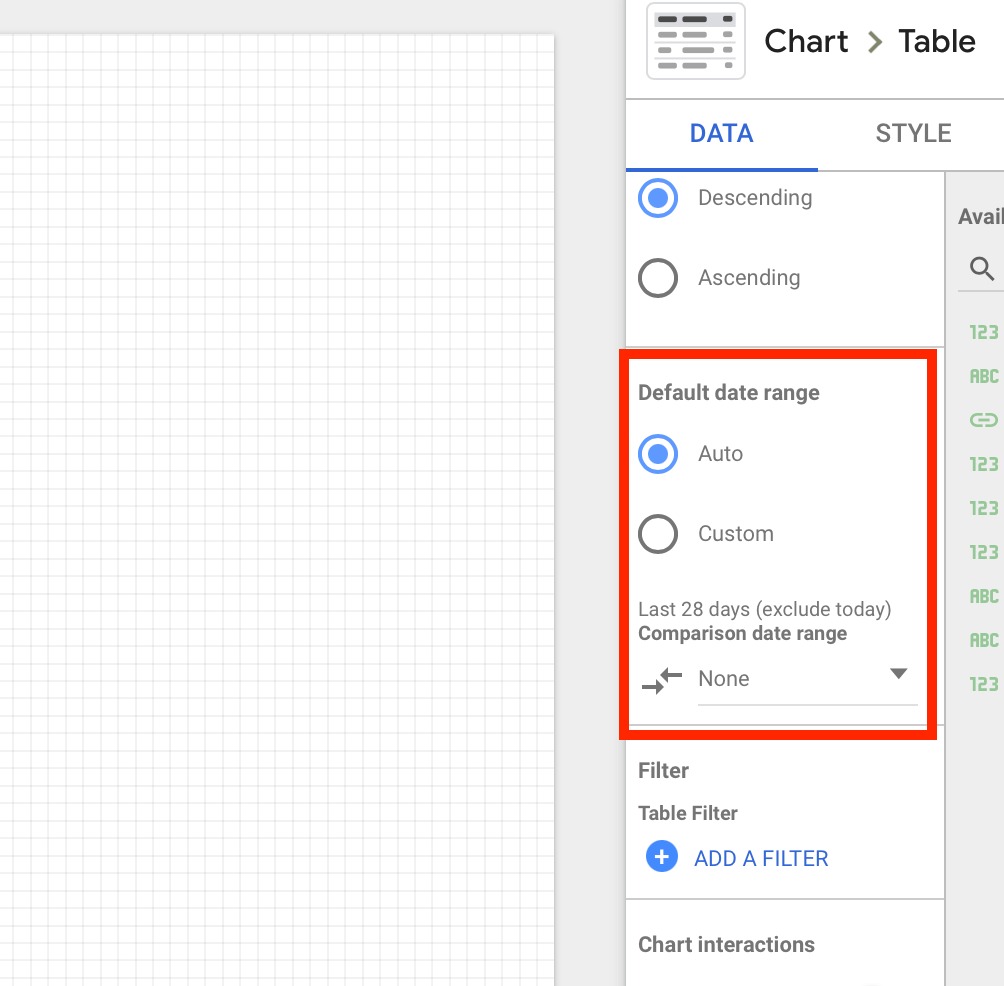
Looker Studio date range menu

In Domain Analytics connector, the only report that allows to change the date range is the Domain History report (all other reports will show up-to-date data). For Domain History, you can also change date range from the right side menu.

Ostatnio oglądane