Position Tracking connector data doesn’t match Semrush data, what's wrong?
If you find that data in your Looker Studio (formerly Google Data Studio) report doesn’t match the data you see in Semrush, please check the following:
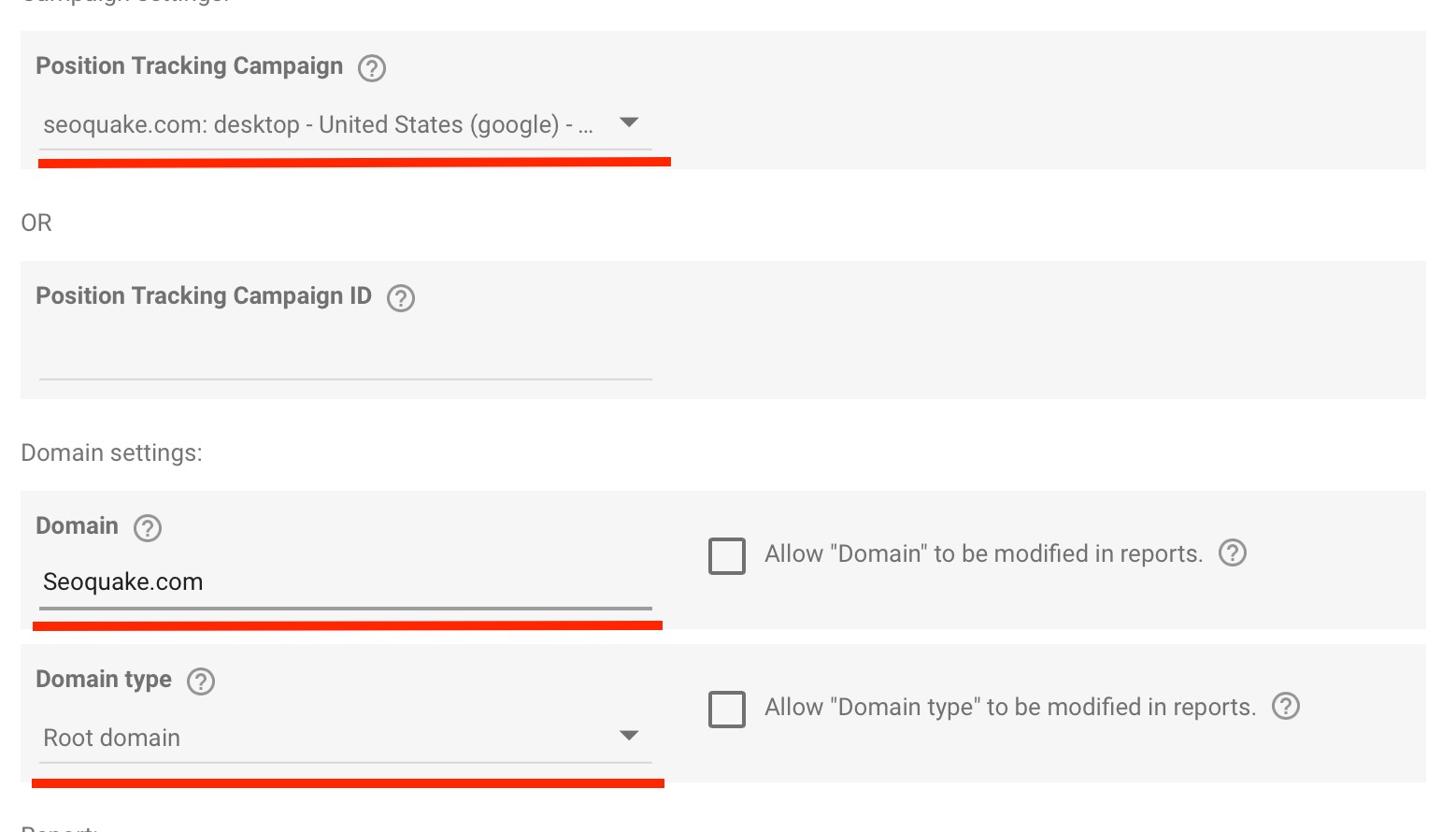
- Folder and domain name in your report settings should match the folder and domain name of your Semrush campaign. For example, if you’ve chosen “Root domain” in the Domain type field, then your domain name shouldn’t include https:// part.
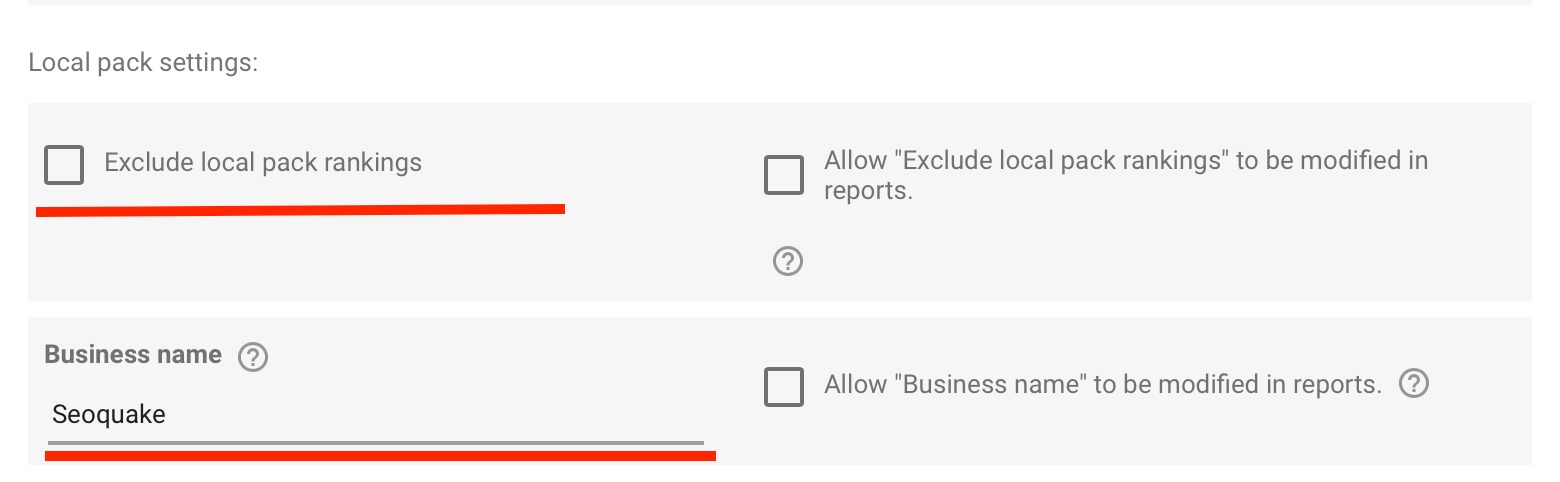
- Check the Local Pack settings. Make sure that the Local pack settings and Business name match in your campaign and in the Looker Studio report:
If you excluded local pack results from your Semrush campaign, you should exclude them from your Looker Studio report too.
If you do follow Local pack results in your Position tracking campaign, do not forget to enter the Business name in the Local pack settings of the report.
Looker Studio report Local pack settings
Semrush campaign Local pack settings are under the SERP features.


Looker Studio report date range
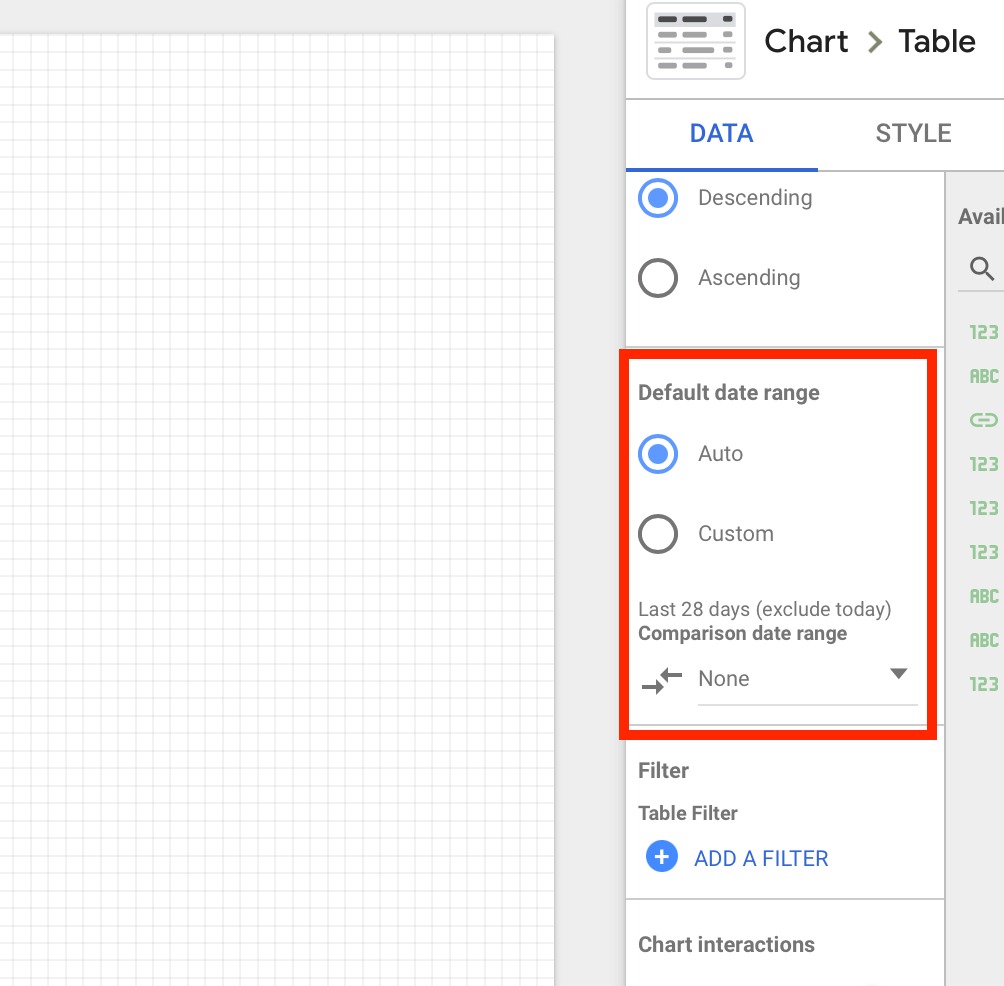
Semrush campaign date range

If you still have issues, please do not hesitate to reach out to our Support team.
 Quay lại Tích hợp danh mục