I cannot connect to Data Studio
If you have issues with our official Data Studio connectors, it could be that access to these connectors is not included in your subscription.
To use the Semrush Data Studio connectors, you need a Guru or Business SEO Toolkit subscription. Legacy Guru subscriptions (activated before the 4th of January, 2021) do not include access to Data Studio connectors. You can check your subscription level in the Subscription Info section of your profile.
If access to the connectors is included in your subscription, but you still cannot connect, please try the following steps:
- Clear your browser cache & cookies;
- Make sure you log in to the correct Semrush Account;
- Find the connector in question in the list of Connectors and Revoke access:
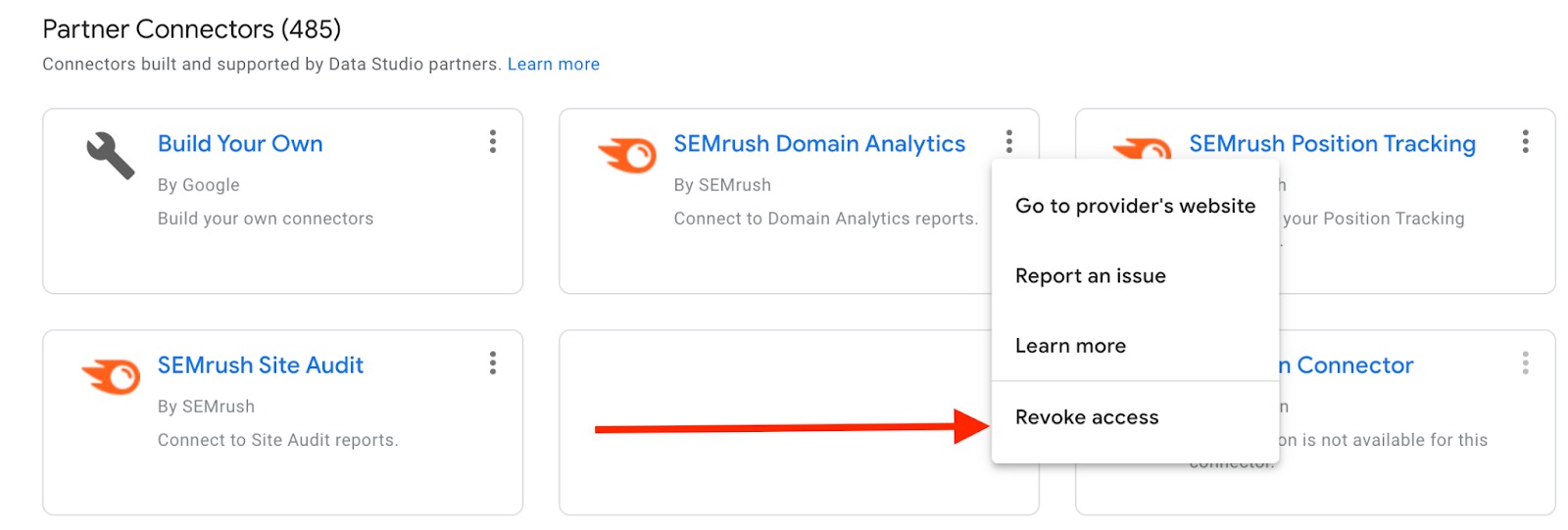
- Then, try to re-authorize the connection.
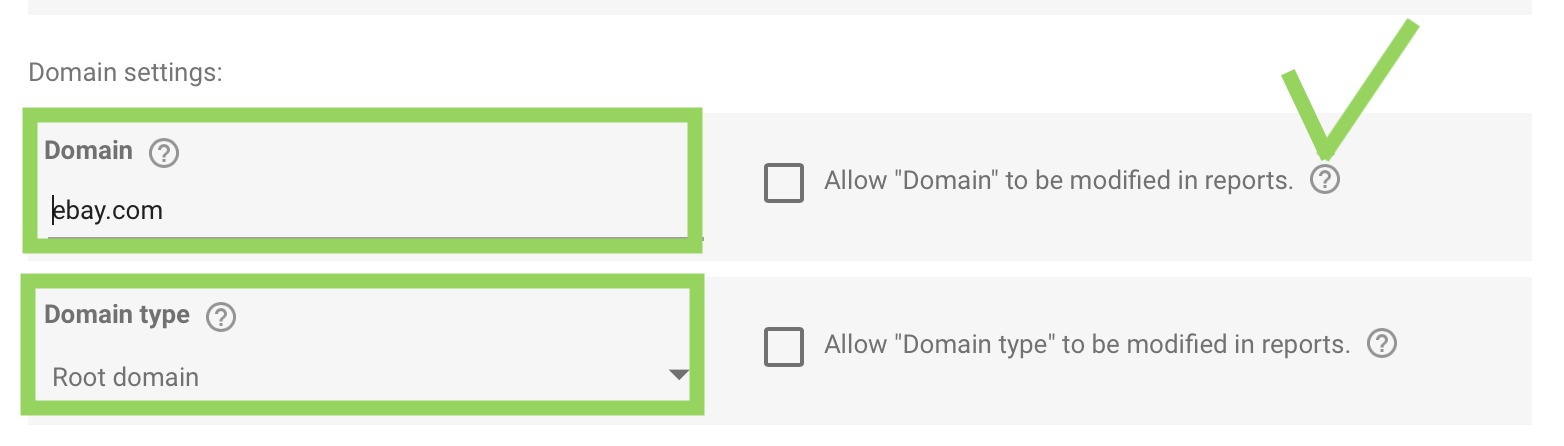
In case the authorization does seem to work, but results are not pulling into report widgets, make sure that the settings for the data source are correct. Check the folder and domain name: if you’ve chosen “Root domain” in the Domain type field, then the domain name shouldn’t include https:// (it should be example.com, not https://example.com)
If connection issues do not affect only a specific data source and/or prevent you from accessing the Data Studio report entirely (for example, the 400 Bad Request error), we suggest using instructions from official Google manuals to troubleshoot the issue and report it if necessary:
If you still have issues connecting to Data Studio, please do not hesitate to reach out to our Support team.
 返回到 集成 类别